xT Accelerator Amiga A600, 28Mhz CPU, 11MB Fastram
£79.16 Ex. VAT
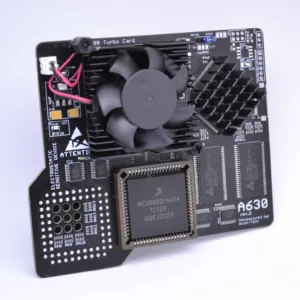
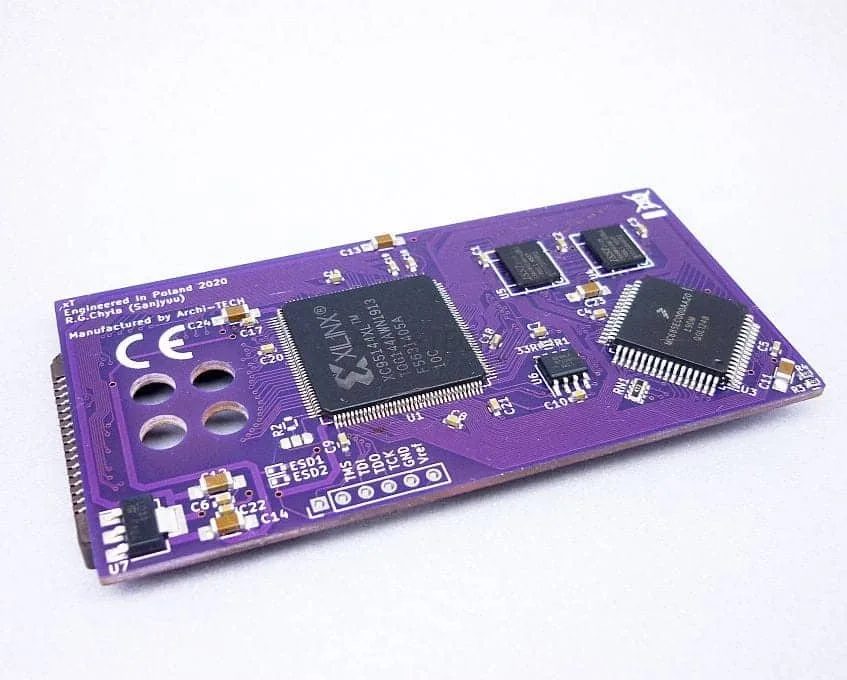
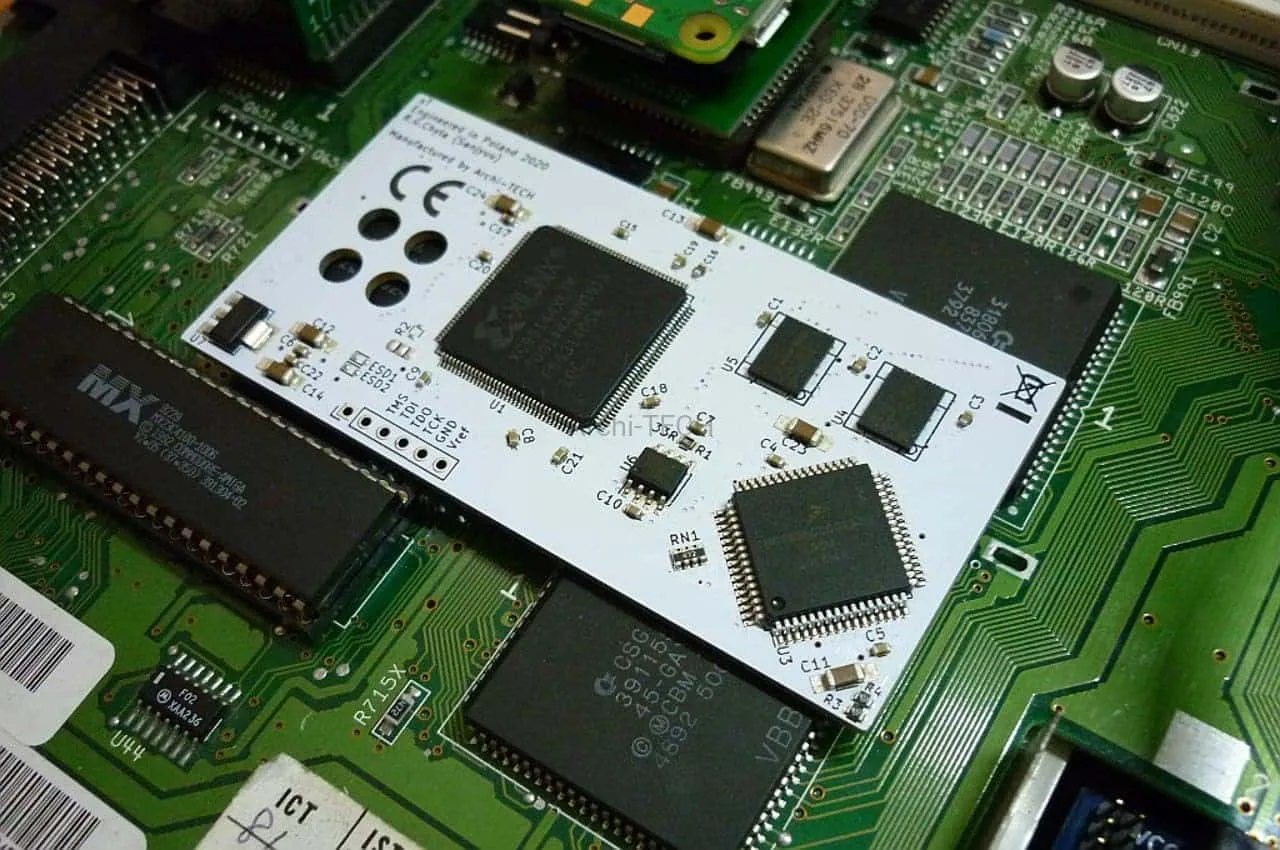
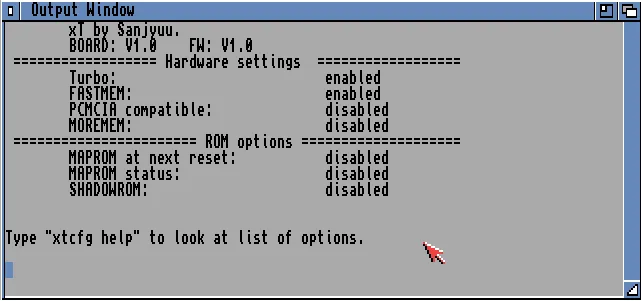
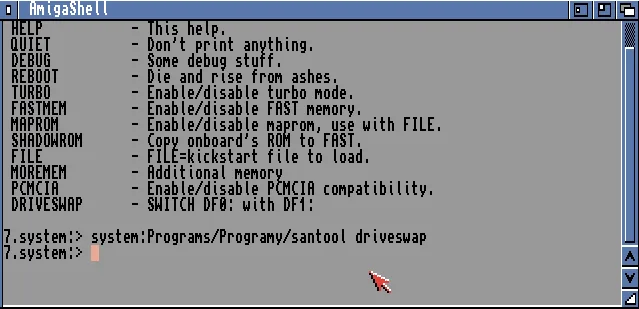
xT Accelerator Amiga A600 with an onboard 28Mhz CPU with 11MB Fastram is one of the smallest and slimmest accelerator cards for the Amiga 600 computer, with some extra skill you can also fit the original HDD sled to it.The card is mounted on top of the MC68000 PLCC68 processor. All configuration options are available in the CLI.
Full specs:
- CPU MC68SEC000AA20, clocked on 28MHz.
- 11MB Fast Ram.
- MapROM Feature.
- PCMCIA Friendly – Ram needs to be set to 4MB.
- Embedded hardware DriveSWAP DF0/DF1 (Boot Selector).
Notes:
- Some demos or games may require disable “CPU CACHE” for better compatibility with the MC68000.
- The card is designed to work with 3.1 Roms and above including 3.2 and 3.2.1.
- PCB Colour will vary
*2Mb Chip ram is strongly recommended for WHDLoad which is available here
OUT OF STOCK
You may also like…
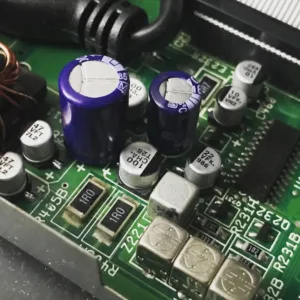
Amiga A600 Recapping Service (PREMIUM)
- Check of the board before recapping is begun (any faults found before recapping will be reported back)
- Removal of existing capacitors (both SMD and radial capacitors).
- Cleanup and preparation of area.
- Replace using either Panasonic/Wurth/KEMET polymer capacitors.
- Retest (Video, Audio, Floppy Boot, CF Card boot).
Overseas recapping orders
Overseas orders are very welcome and we are able to provide you return shipping costs at the checkout. To do this add any of our recapping services to your shopping basket and then at the checkout simply fill in the billing and shipping form including your telephone and email address (important) and click the 'Request a quote' link. You will receive an email within 24hrs with the shipping cost and you can then proceed with the order by clicking on the 'Complete your order' within the email. There is no need to leave the checkout page open your web browser.
Amiga A600 Recapping Service (Standard)
- Check of the board before recapping is begun (any faults found before recapping will be reported back)
- Removal of existing capacitors (both SMD and radial capacitors).
- Cleanup and preparation of area.
- Replace using either Panasonic/Wurth/KEMET capacitors.
- Retest (Video, Audio, Floppy Boot, CF Card boot).
Overseas recapping orders
Overseas orders are very welcome and we are able to provide you return shipping costs at the checkout. To do this add any of our recapping services to your shopping basket and then at the checkout simply fill in the billing and shipping form including your telephone and email address (important) and click the 'Request a quote' link. You will receive an email within 24hrs with the shipping cost and you can then proceed with the order by clicking on the 'Complete your order' within the email. There is no need to leave the checkout page open your web browser.Related products
Amiga A600 8Mb Fast Ram PCMCIA switchable
- ON/OFF - You can enable or disable the card.
- 4Mb/8Mb jumper
- Transferring files from your PC/MAC using the a PCMCIA CF card adaptor
- Plug in a Ethernet card to transfer files from a PC/MAC via FTP
- Adding a CD Drive that has a PCMCIA interface
Keyrah V3 – Commodore Amiga, Atari ST, PC
- Commodore C64 (all models)
- Commodore SX-64
- Commodore VIC-20 (VC20)
- Commodore C16
- Commodore C128D
- Amiga 1200
- Amiga 600
- Amiga 500
- Amiga 4000/CDTV
- Atari ST (8-pin connector only)
- PC XT / PC AT (with PS/2 adapter)
- Commodore C128
- Commodore C116
- Commodore plus/4
- Commodore PET (8296)
- Commodore CBM2 (B-Series)
- Amiga 2000/3000 (with PS2 adapter)
PiStorm600 Adaptor for Amiga A600
Key Features
- Emulate 68010,68020,68030,68040,68060 Processors with or without FPU
- 128Mb Fastram.
- File-based SCSI device.
- RTG graphics from the Pi itself.
Notes:
Powering the A600/PiStorm It is possible if you have a weak PSU or the Amiga 600 has not been recapped you may see instability issues as with any accelerator, you have a few options all of which are available below, If your using a Pi Zero2 then it is unlikely you will need to apply additional power. A Pi 3A+ can consume more power, but this is not often an issue until you start connecting USB devices, you have a few options below:- You can add extra power via a floppy power connector splitter (available below) which is a new cable which splits the floppy power to power both your internal floppy drive and the PiStorm via its built in Molex connector (DO NOT ADD POWER OTHER THAN FROM THE AMIGA ITSELF OR TRY AND USE IT TO POWER OTHER DEVICES).
- Make sure your Amiga has been recapped, we offer 2 options Standard and Premium.
- Purchase a new Amiga PSU of which we also offer 2 versions, A600 Standard PSU or A600 Boost PSU which also as a 5VDC line adjustment to give a perfect 5 Volts to the Amiga 600.
*Using the Raspberry Pi Zero Model 2 is possible as mentioned but you do lose a little in performance.
[space_40]
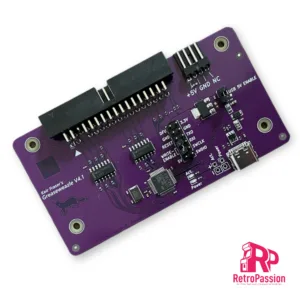
Greaseweazle V4.1 USB Floppy Adapter Flux Reader Writer
Greaseweazle v4.1 allows versatile floppy drive control over USB. By extracting the raw flux transitions from a drive, any disk format can be captured and analysed - PC, Amiga, Amstrad, PDP-11, musical instruments, industrial equipment, and more. The Greaseweazle also supports writing to floppy disks, from a range of image file formats including those commonly used for online preservation (ADF, IPF, DSK, IMG, HFE)
Greaseweazle V4.1 is the latest version, updated for mass production and with the following features:
- Reads and writes 3", 3.5", 5.25", 8" disks (with suitable drive and cable)
- Buffered outputs, for communicating with older 5.25" and 8" disk drives
- Integrated power connector for directly powering most 3.5" disk drives
- Write-enable jumper can be removed for safer preservation of precious vintage disks
- Supports flippy-modded 5.25" drives
- Supports Disk-Change detection as used by Rob Smith's integration into the WinUAE Amiga emulator
- 3 user-definable outputs (eg. 8" interface REDWC signal)
- 100% factory tested, and tested again by me before shipping
More information and documentation on the wiki page here:
This listing is for the Greaseweazle V4.1 device only. And does not include which you will require:
- A disk drive (for example a PC 3.5" or 5.25" drive)
- A floppy ribbon cable (typically you want a standard PC cable with 'twist' on pins 10-16, to communicate with a PC floppy drive)
- Floppy drive power cable, or power supply